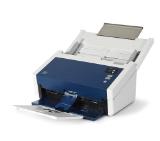
| Скенер, тип | Sheet-fed, one-pass duplex color scanner, CIS (Contact Image Sensor). ReadyScan LED technology |
|---|---|
| Медия, тип | Different types of paper, Plastic cards |
| Медия, размер | A4, A5, A6, B5, B6, Letter Legal, Postcard, Business cards, Plastic cards, Legal |
| Медия, g/m2 | Auto loading: 50 - 209 g/m2, Manual loading: 50 - 209 g/m2 |
| Скенер скорост черно, стр./мин | 26 ppm (A4 , resolution: 200 / 300 dpi) |
| Скенер скорост цветно, стр./мин | 26 ppm (A4 , resolution: 200 / 300 dpi) |
| Скенер резолюция | 600 x 600 dpi (ADF, optical), Scanning Resolution: 50 x 1200 dpi (Horizontal x Vertical) |
| Дълбочина на цвета при сканиране | Input: 10 Bits , Output: 8 Bits |
| Нива на сивота | 16-bits per pixel internal / 8-bit external |
| Листоподаващо устройство | 50 Sheets ADF |
| Двустранно сканиране | Single pass dual scanning |
| Капацитет за хартия | 50 sheets |
| Максимален размер на сканираната област, mm | 215.9 mm x 3048 mm (Horizontal x Vertical) |
| Файлови формати | BMP, JPEG, TIFF, multi-TIFF, PDF, PNG |
| Интерфейс | USB 2.0 Type B |
| Натоварване, стр./месец | 3000 pages |
| OCR софтуер | Full Zonal OCR |
| Софтуер | Document Capture Pro 2.0, Epson Scan 2 |
| Съвместими операционни системи | Windows, Mac OS |
| Размери (Ш, Д, В), mm | 297 x 152 x 154 |
| Цвят | White-Black |
Epson WorkForce DS-410
№ B11B249401
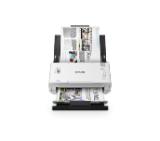
| Скенер, тип | Sheet fed desktop document scanner, Contact image sensor (CIS), LED array light source |
|---|---|
| Медия, тип | Plain Paper, Thin Paper, Thick Paper, Recycled Paper, Business Card, Plastic Card |
| Медия, размер | A4; Media sizes: Width: 50.8 - 215.9 mm, Height: 50.8 - 355.6 mm, Long paper: 5000 mm; Plastic card: Length (ISO) 85.60 mm, Width (ISO) 53.98 mm |
| Медия, g/m2 | 40 - 200 g/m2, Paper thickness: 0.08 - 0.28 mm |
| Скенер скорост черно, стр./мин | 35 ppm (A4)/70 ipm, 2-sided scan |
| Скенер скорост цветно, стр./мин | 35 ppm (A4)/70 ipm, 2-sided scan |
| Скенер резолюция | Up to 600 x 600 dpi (from ADF); Up to 1200 x 1200 dpi (interpolated) |
| Дълбочина на цвета при сканиране | 48 bit int./ 24 bit ext. |
| Нива на сивота | 256 levels (8 bit) |
| Методи на сканиране и функции за подобрение | Scan to PC, image plastic card mode, single page scan, continuous scan, multi-feed detection, half speed mode, barcode detection, JPEG compression, digital imprinter, custom TWAIN profiles; Scan directly to a USB flash memory storage |
| Листоподаващо устройство | ADF |
| Двустранно сканиране | yes |
| Капацитет за хартия | 60 sheets |
| Файлови формати | PDF (single, multi, PDF/A-1b), JPEG, TIFF (single, multi) |
| Интерфейс | SuperSpeed USB 3.0, USB 2.0 host (rear) |
| Натоварване, стр./месец | 5 250 pages/day; Maximum monthly: 105 000 sheets |
| Софтуер | Brother ScanEssentials Lite, NewSoft Presto! Bizcard 6, Image Folio, Brother iPrint&Scan for Desktop, Kofax PaperPort, Kofax Power PDF Standard v3, Remote Setup; ICA, TWAIN macOS 10.14.x or higher;NewSoft Presto! Bizcard 7,Image Folio Brother iPrint&Scan |
| Съвместими операционни системи | Windows, Mac, Linux |
| Размери (Ш, Д, В), mm | 300 x 216 x 191 |
| Цвят | White-Black |
| Други | Control panel: LED, 4 keys; Kensington lock |
Brother ADS-4100 Desktop document sca...
№ ADS4100TF1
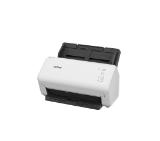
| Скенер, тип | CMOS 24MP 5696 x 4272 pixels |
|---|---|
| Медия, тип | Books, Documents, Magazines, Photos, Objects |
| Медия, размер | A3 |
| Скенер скорост черно, стр./мин | 1sec (Pictures & Scan Per Second) |
| Скенер скорост цветно, стр./мин | 1sec (Pictures & Scan Per Second) |
| Скенер резолюция | Optical: 5696 x 4272 pixels (24MP); Resolution Interpolated (SW): 10680 x 8010 (85MP) - 600dpi |
| Дълбочина на цвета при сканиране | 24-bit |
| Методи на сканиране и функции за подобрение | Mode Scan: Color, Color (Enhanced), Grayscale, B/W (Document); Fix Focus; Scan To Cloud: FTP Server, Dropbox, OneDrive, eMail; Distance Learning Support Software: ZOOM, Google Meet, Microsoft Teams |
| Капацитет за хартия | 1 sheet |
| Максимален размер на сканираната област, mm | 420 x 297 mm; Scanning Width: 44 cm (at output 5696 x 4272) |
| Мащабиране | 210x Software Zoom |
| Файлови формати | Document Scanning Format: JPG, PDF, PDF searchable, PDF-A; Office Exporting Video Format: AVI, MPEG, FLV, WMV; Book Export Format: E-book: EPUB & MPG3 |
| Интерфейс | USB Type-C |
| OCR софтуер | IRIScan Desk 7 Business Scanning software with OCR; OCR Languages Supported: 138 powered by IRIS technology |
| Софтуер | IRIScan Desk – lifetime |
| Съвместими операционни системи | Windows 10 / 11, macOS 13, 14, 15 (with M1 chip) |
| Размери (Ш, Д, В), mm | 118 x 98 x 370 mm |
| Цвят | Black |
| Други | Fixable short arm, White LED Lamp (Max. 400 Lux); Video quality: 30 FPS |
IRIScan Desk 7 Business
№ 464416
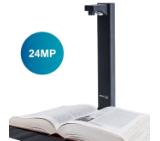
| Скенер, тип | Sheet fed desktop document scanner, Dual contact image sensor (CIS), LED array light source |
|---|---|
| Медия, тип | Plain Paper, Thin Paper, Thick Paper, Recycled Paper, Business Card, Plastic Card |
| Медия, размер | A4; Media sizes: Width: 50.8 - 215.9 mm, Height: 50.8 - 355.6 mm, Long paper: 5000 mm; Plastic card: Length (ISO) 85.60 mm, Width (ISO) 53.98 mm |
| Медия, g/m2 | 40 - 200 g/m2 |
| Скенер скорост черно, стр./мин | 40 ppm (A4)/80 ipm, 2-sided scan |
| Скенер скорост цветно, стр./мин | 40 ppm (A4)/80 ipm, 2-sided scan |
| Скенер резолюция | Up to 600 x 600 dpi (from ADF); Up to 1200 x 1200 dpi (interpolated) |
| Дълбочина на цвета при сканиране | 48 bit int./ 24 bit ext. |
| Нива на сивота | 256 levels (8 bit) |
| Методи на сканиране и функции за подобрение | Scan to PC, image, network(SMB), FTP/SFTP; Scan directly to a USB flash memory storage; Create up to 25 preset scan to SFTP/FTP/network profiles; Detect end of page, multi-feed detection, barcode detection |
| Листоподаващо устройство | ADF; Ultra sonic multi-feed sensor, separation switch |
| Двустранно сканиране | yes |
| Капацитет за хартия | 80 sheets |
| Файлови формати | PDF (single, multi, PDF/A-1b, secured, signed), JPEG, TIFF (single, multi) |
| Интерфейс | SuperSpeed USB 3.0, USB 2.0 host (rear) |
| Мрежа | 10Base-T/100Base-TX |
| Натоварване, стр./месец | 6 000 pages/day; Maximum monthly: 120 000 sheets |
| Софтуер | Brother ScanEssentials, Brother iPrint&Scan for Desktop, Kofax PaperPort, Kofax Power PDF Standard v3, Remote Setup; Brother iPrint&Scan for desktop, remote setup |
| Съвместими операционни системи | Windows, Mac, Linux; AirPrint scan support, TWAIN, macOS 10.14.x or greater |
| Размери (Ш, Д, В), mm | 300 x 216 x 191 |
| Цвят | White-Black |
| Други | Control panel: LED, 7 keys; Kensington lock |
Brother ADS-4300N Network desktop sca...
№ ADS4300NTF1
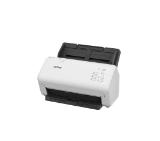
| Скенер, тип | Sheetfed Scanner; Ultrasonic Sensor, ReadyScan LED technology |
|---|---|
| Медия, размер | A4, A5, A6, B6, B5, Letter, Postcard, Business cards, Plastic cards, Legal, Executive |
| Медия, g/m2 | Auto loading: 27 - 413 g/m2 |
| Скенер скорост черно, стр./мин | 35 ppm/70 ipm (A4, Resolution: 200 / 300 dpi) |
| Скенер скорост цветно, стр./мин | 35 ppm/70 ipm (A4, Resolution: 200 / 300 dpi) |
| Скенер резолюция | 600 x 600 dpi; Output Resolution: 75 - 1200 dpi |
| Дълбочина на цвета при сканиране | Input: 30 Bits Colour / Output: 24 Bits Colour |
| Нива на сивота | Input: 10 Bits Monochrome / 8 Bits Monochrome |
| Методи на сканиране и функции за подобрение | Scan to Email, Scan to FTP, Scan to Microsoft SharePoint, Scan to Print, Scan to Web folders |
| Листоподаващо устройство | Single pass dual scanning |
| Двустранно сканиране | yes |
| Капацитет за хартия | 50 sheets (80g/m2) |
| Максимален размер на сканираната област, mm | 216 mm x 6096 mm (Horizontal x Vertical); Min: 50.8 mm x 50.8 mm (Horizontal x Vertical) |
| Файлови формати | JPEG, TIFF, multi-TIFF, PDF, searchable PDF, secure PDF, PDF/A |
| Интерфейс | USB 3.0 |
| Натоварване, стр./месец | 4 000 Pages per day |
| OCR софтуер | yes |
| Софтуер | Epson Document Capture (Mac only), Epson Document Capture Pro (Windows only), Epson Document Capture Pro Server (on free download), Epson Scan 2, Presto! BizCard 5.6 |
| Съвместими операционни системи | Citrix XenApp 5.0/6.0/7.6 and above, Linux, Mac OS 10.7.x/10.8.x/10.9.x/X/X 10.6.8, Windows 10/7/7 x64/8/8 (32/64 bit)/8 RT/8.1/8.1 x64 Edition/Vista/Vista x64/XP Professional x64 Edition, Win Server 2008(32/64bit), 2008 R2, 2012(64bit), 2012 R2, 2003 R3 |
| Размери (Ш, Д, В), mm | 296 x 169 x 176 |
| Цвят | White-Black |
Epson WorkForce DS-530II
№ B11B261401
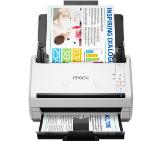
| Скенер, тип | Desktop type double-sided capturing sheet fed scanner, CIS |
|---|---|
| Медия, тип | Various types of documents |
| Медия, размер | A4 |
| Скенер скорост черно, стр./мин | Up to 50 ppm / 100 ipm (200dpi / 300dpi) |
| Скенер скорост цветно, стр./мин | Up to 50 ppm / 100 ipm (200dpi), 40 ppm / 80 ipm (300 dpi) |
| Скенер резолюция | Optical: 600 dpi; Output Resolution: 100 / 150 / 200 / 240 / 300 / 400 / 600 / 1200 dpi |
| Методи на сканиране и функции за подобрение | Ultrasonic Double Feed Detection, Double Feed Release, Prescan, 3-Dimensional Colour Correction, Prevent Bleed-Through/Remove Background, Background smoothing, Active Threshold, Batch separation by blank page, Text Enhancement and etc. |
| Листоподаващо устройство | A4 |
| Двустранно сканиране | Front / Back / Duplex |
| Капацитет за хартия | 60 sheets |
| Максимален размер на сканираната област, mm | Width: 50.8 - 216 mm, Length: 54 - 356 mm; Long Document Mode: Up to 5 588mm; Business Card: Width: 88.9-108mm, Length: 127-152.4mm; Plastic Card: Width: 86mm, Length: 54mm |
| Мащабиране | Auto Page Size Detection; Reduction ratio adjustment |
| Файлови формати | PNG, JPEG, TIFF, BMP, PPTX, Word, Excel and PDF |
| Интерфейс | USB 3.2 Gen 1, USB host: USB 2.0 (available only for external NFC Reader) |
| Мрежа | 10Base-T / 100Base-TX / 1000Base-T |
| Натоварване, стр./месец | From 6000 to 9,00 scans/day |
| OCR софтуер | CaptureOnTouch Pro software with powerful capture and processing tools including OCR and barcode recognition |
| Софтуер | Windows: ISIS/ TWAIN Driver, CaptureOnTouch Pro; Mac: DR Management Tool, CoT Admin Server (by download only), Mac TWAIN Driver, CaptureOnTouch |
| Съвместими операционни системи | Windows, Mac, Supports Chrome OS, and Mopria scan |
| Размери (Ш, Д, В), mm | 291 x 267 x 242 mm |
| Цвят | Black |
Canon imageFORMULA DR-S250N + Readiri...
№ 6383C003AA_4751V745
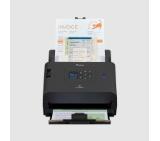
| Скенер, тип | Desktop Type Sheet Fed Scanner; CMOS CIS 1 Line Sensor; RGB LED Light source |
|---|---|
| Медия, тип | Various media types; from thick to thin sheets, and from embossed cards to three metre-long documents |
| Медия, размер | A4 |
| Медия, g/m2 | J-Path: 52 - 128g/m2; Straight Through: 40 - 209g/m2 |
| Скенер скорост черно, стр./мин | 25 ppm / 50 ipm - 200, 300 dpi |
| Скенер скорост цветно, стр./мин | 25 ppm / 50 ipm - 200, 300 dpi |
| Скенер резолюция | 600 x 600 dpi |
| Дълбочина на цвета при сканиране | 24-bit |
| Нива на сивота | 8-bit (256-Level) |
| Методи на сканиране и функции за подобрение | Simplex / Duplex / Folio / Skip Blank Page |
| Листоподаващо устройство | yes (Paper Separation: Retard Roller Method (Reversing Seperator Roller)) |
| Двустранно сканиране | yes |
| Капацитет за хартия | 30 Sheets (80g/m2) |
| Максимален размер на сканираната област, mm | (Width) J-Path: 50.8 - 216mm, Straight-Path: 50.8 - 216mm; (Length) J-Path: 70 - 356mm, Straight-Path: 53.9 - 356mm; Long document mode: 3000 mm max. ( Straight-Path); Card scanning: 53.9 x 85.5 x 0.76mm (Straight-Path, Embossed card is supported) |
| Файлови формати | PDF, PDF-A, TIFF, JPEG, BMP, PPTX and PNG |
| Интерфейс | High speed USB 2.0 (USB 3.0 compatible) |
| Натоварване, стр./месец | 1500 scans/day |
| OCR софтуер | yes (Convert original paper documents into editable electronic files using OCR (compatible with Windows only)) |
| Софтуер | ISIS /TWAIN Driver (Windows 2000/XP Pro/XP Home/Vista/7/8/10); CaptureOnTouch; Nuance eCopy PDF Pro Office; CardIris; Plug-in: SharePoint, GoogleDocs, SugarSync, Dropbox, OneDrive; EMC Captiva Cloud Runtime controls |
| Съвместими операционни системи | Windows XP Pro / XP Home / Vista / 7 / 8; MAC OS |
| Размери (Ш, Д, В), mm | Tray Closed : 300 x 156 x 220 mm; Tray Opened: 300 x 235 x 339 mm |
| Цвят | Black |
Canon imageFORMULA DR-C225 II
№ 3258C003AA
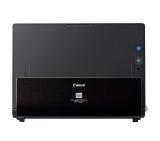
| Скенер, тип | ADF or Front Feed scanner, Image Sensor: CIS (contact image sensor), Light Source: LED (Light Emitting Diode) instant on |
|---|---|
| Медия, тип | Paper, plastic ID cards, photos |
| Медия, размер | A4 |
| Медия, g/m2 | 50 - 105 g/m2 |
| Скенер скорост черно, стр./мин | 15 ppm / 30 ipm @ 300 dpi (ADF) |
| Скенер скорост цветно, стр./мин | 15 ppm / 30 ipm @ 300 dpi (ADF) |
| Скенер резолюция | 600 x 600 dpi (optical) |
| Дълбочина на цвета при сканиране | 24 bit |
| Нива на сивота | 8-bit greyscale, 1-bit B&W |
| Листоподаващо устройство | yes |
| Капацитет за хартия | 20 sheets ( 75~90 g/m2 paper) |
| Максимален размер на сканираната област, mm | ADF: 216 x 2997 mm @ 300 dpi, Min.: 57 x 51 mm |
| Файлови формати | PDF, JPG, Searchable PDF and other popular file formats |
| Интерфейс | USB 2.0 |
| Натоварване, стр./месец | 1000 pages/day |
| OCR софтуер | yes |
| Софтуер | Visioneer OneTouch with Acuity, ABBYY Fine Reader Sprint, ABBYY Business Card Reader 2.0, Desktop Organizer Software, Visioneer TWAIN DriverPLUS, TWAIN, ISIS and WIA Drivers |
| Съвместими операционни системи | Windows, Mac |
| Размери (Ш, Д, В), mm | 299 x 104 x 74 (Trays Collapsed) |
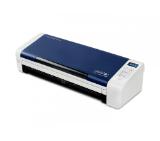
| Цвят | White-Blue |
Xerox Duplex Portable Scanner
№ 100N03261
| Скенер, тип | Sheetfed Scanner; Ultrasonic Sensor, CIS, ReadyScan LED technology |
|---|---|
| Медия, размер | A4, A5, A6, B5, B6, Letter, Postcard, Business cards, Plastic cards, Legal |
| Медия, g/m2 | Auto loading: 27 - 413 g/m2 |
| Скенер скорост черно, стр./мин | 35 ppm/70 ipm (A4, Resolution: 300 dpi) |
| Скенер скорост цветно, стр./мин | 35 ppm/70 ipm (A4, Resolution: 300 dpi) |
| Скенер резолюция | 600 x 600 dpi; Output Resolution: 75 - 1200 dpi |
| Дълбочина на цвета при сканиране | Input: 30 Bits Colour / Output: 24 Bits Colour |
| Нива на сивота | Input: 10 Bits Monochrome / 8 Bits Monochrome |
| Методи на сканиране и функции за подобрение | RGB colour dropout, Advanced Colour Dropout / Enhance, Skip blank page, Punch holes removal, Advanced editing, Automatic de-skew, Text enhancement, Scan to Cloud Storage |
| Листоподаващо устройство | Single pass dual scanning, 100 sheets |
| Двустранно сканиране | Duplex Scan |
| Капацитет за хартия | 50 sheets (80g/m2) |
| Максимален размер на сканираната област, mm | 216 mm x 6096 mm (Horizontal x Vertical); Min: 50.8 mm x 50.8 mm (Horizontal x Vertical) |
| Файлови формати | BMP, JPEG, TIFF, multi-TIFF, PDF, searchable PDF, PDF/A, PNG; Scan to Email, Scan to Web folders, Scan to Network folders |
| Интерфейс | USB 3.0 |
| Безжична мрежа | Wireless LAN IEEE 802.11b/g/n, Wi-Fi Direct |
| Натоварване, стр./месец | 4 000 Pages per day |
| OCR софтуер | yes |
| Софтуер | Epson ScanSmart |
| Съвместими операционни системи | Mac OS X 10.11.x or later, Windows 10 (32/64 bit), Windows 7 (32/64 bit), Windows 8 (32/64 bit) |
| Размери (Ш, Д, В), mm | 296 x 169 x 176 |
| Цвят | Black |
Epson WorkForce ES-500WII
№ B11B263401
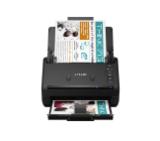
| Скенер, тип | Desktop type double-sided sheet fed scanner; CIS Scanning Sensor Unit; RGB LED Light Source |
|---|---|
| Медия, тип | different types of papers, Plastic cards; Business Cards; Passport |
| Медия, размер | A4 |
| Медия, g/m2 | 27 - 413 g/m2 (thickness 0.04 - 0.49mm) |
| Скенер скорост черно, стр./мин | 40ppm / 80ipm (200dpi/300dpi) |
| Скенер скорост цветно, стр./мин | 40ppm / 80ipm (200dpi/300dpi) |
| Скенер резолюция | Optical: 600 dpi; Output: 100/ 150/ 200/ 240/ 300/ 400/ 600/ 1200 dpi |
| Методи на сканиране и функции за подобрение | Scanning Side: Front/ Back/ Duplex; Ultrasonic Double Feed Detection, Auto Colour Detection, Skip Blank Page, Auto Page Size Detection, Auto Resolution Setting, Text Orientation, Recognition, Barcode/2D Code/OCR Recognition and etc. |
| Листоподаващо устройство | yes ( Retard Roller Method) |
| Двустранно сканиране | yes |
| Капацитет за хартия | 100 sheets (A4) |
| Максимален размер на сканираната област, mm | Width 50 - 216mm; Length 54 - 356mm; Long document mode: Up to 6096 mm |
| Интерфейс | USB 3.2 / USB 3.1 / USB 3.0 / USB 2.0 (Connector type: Type -CTM) |
| Натоварване, стр./месец | from 4 500 to 7 000 scans/day |
| OCR софтуер | yes |
| Софтуер | ISIS, TWAIN and WIA Driver / CaptureOnTouch Pro / Canon imageFORMULA Driver Setting Tool / DR-Management Tool (by download only) |
| Съвместими операционни системи | Windows |
| Размери (Ш, Д, В), mm | Tray closed: 283 x 223 x 218 mm |
| Цвят | Black |
Canon imageFORMULA DR-C340
№ 7291C003AA
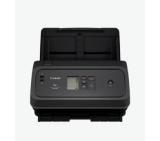
| Скенер, тип | ADF; Flatbed; Contact Image Sensor (CIS) |
|---|---|
| Медия, тип | Paper (banner, inkjet, photo, plain), envelopes, labels, cards (greeting, index) |
| Медия, размер | ADF: A4; A5; A6; B5; B5 (JIS), Letter; Legal; Executive |
| Медия, g/m2 | ADF: 49 to 120 g/m2 |
| Скенер скорост черно, стр./мин | Up to 30 ppm/60 ipm (b&w, gray, 300 dpi) |
| Скенер скорост цветно, стр./мин | Up to 30 ppm/60 ipm (300 dpi) |
| Скенер резолюция | Optical Up to 600 dpi; Hardware: Up to 600 x 1 200 dpi |
| Дълбочина на цвета при сканиране | 24-bit (external), 48-bit (internal) |
| Нива на сивота | 256 |
| Методи на сканиране и функции за подобрение | Configurable Scan shortcuts; Scan input modes: Scan front-panel function : Save as PDF, Save as JPEG, Scan to E-mail, Send to Cloud and Scan to USB. HP Scan in Win OS, HP Easy Scan/ICA in Mac OS and third parties applications via TWAIN |
| Листоподаващо устройство | Standard, 60 sheets |
| Двустранно сканиране | One pass duplex scanning |
| Капацитет за хартия | 60 sheets |
| Файлови формати | For text and image pages : PDF, JPEG, PNG, BMP, TIF, Text(TXT), Rich Text(RTF), SEARCHABLE PDF, PDF/A, Word(DOC), Word(DOCX), Excel(XLS), Excel(XLSX), CSV |
| Интерфейс | USB 3.0 |
| Натоварване, стр./месец | Recommended daily duty cycle: 3000 pages (ADF) |
| Софтуер | HP Scanner Device Driver, HP WIA scan driver, HP TWAIN scan driver, HP Scan, HP Scanner Tools Utility, HP Windows Installer, ISIS driver |
| Съвместими операционни системи | Win 7 or higher; Mac OS 10.14(Mojave) or higher |
| Размери (Ш, Д, В), mm | Minimum: 491.5 x 325.4 x 133.3 mm; Maximum: 491.5 x 422.28 x 387.42 mm |
| Цвят | White-Blue |
| Други | Memory: 256 MB |
HP ScanJet Pro 3600 f1 Scanner
№ 20G06A
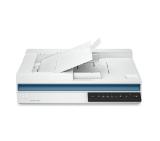
| Скенер, тип | Sheetfed Scanner; Ultrasonic Sensor, CIS, ReadyScan LED technology |
|---|---|
| Медия, размер | A4, A5, A6, B4, B5, B6, Letter, Postcard, Business cards, Plastic cards, Legal, DL (Envelope) |
| Медия, g/m2 | Auto loading: 27 - 413 g/m2 |
| Скенер скорост черно, стр./мин | 40 ppm/80 ipm (A4, Resolution: 200 / 300 dpi) |
| Скенер скорост цветно, стр./мин | 40 ppm/80 ipm (A4, Resolution: 200 / 300 dpi) |
| Скенер резолюция | 600 x 600 dpi; Output Resolution: 75 - 1200 dpi |
| Дълбочина на цвета при сканиране | Input: 30 Bits Colour / Output: 24 Bits Colour |
| Нива на сивота | Input: 10 Bits Monochrome / 8 Bits Monochrome |
| Методи на сканиране и функции за подобрение | RGB colour dropout, Advanced Colour Dropout/Enhance, Skip blank page, A3 stiching, Punch holes removal, Advanced editing, Pre-defined scanning settings, Automatic de-skew, Automatic multi-document recognition, Dual Image Output(Windows only),Auto-rotatio |
| Листоподаващо устройство | Single pass dual scanning |
| Двустранно сканиране | yes |
| Капацитет за хартия | 100 sheets (80g/m2) |
| Максимален размер на сканираната област, mm | 216 mm x 6096 mm (Horizontal x Vertical); Min: 50.8 mm x 50.8 mm (Horizontal x Vertical) |
| Файлови формати | BMP, JPEG, TIFF, multi-TIFF, PDF, searchable PDF, PDF/A, PNG, docx, xlsx, pptx; Scan to Email, Scan to FTP, Scan to Web folders, Scan to Network folders |
| Интерфейс | USB 2.0; Hi-Speed USB - compatible with USB 2.0 specification |
| Мрежа | Ethernet (1000 Base-T / 100-Base TX / 10-Base-T) |
| Натоварване, стр./месец | 4 500 Pages per day |
| Софтуер | Epson Device Admin, Epson Document Capture (Mac only), Epson Document Capture Pro (Windows only), Epson Document Capture Pro Server (on free download), Epson Event Manager, Epson Scan 2, Web browser interface |
| Съвместими операционни системи | Mac OS 10.6+, Windows 10/8/8.1/7/Vista/XP SP3, Windows Server 2003, 2008 (32/64bit), 2012 R2 |
| Размери (Ш, Д, В), mm | 296 x 169 x 167 |
| Цвят | White-Grey |
| Други | 3.7 cm colour LCD display and three individual job buttons |
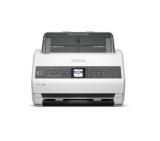
Epson WorkForce DS-730N
№ B11B259401
| Скенер, тип | Sheetfed Scanner; Ultrasonic Sensor, CIS, ReadyScan LED technology |
|---|---|
| Медия, размер | A4, A5, A6, B5, B6, Letter, Postcard, Business cards, Plastic cards, Legal |
| Медия, g/m2 | Auto loading: 27 - 413 g/m2 |
| Скенер скорост черно, стр./мин | 35 ppm/70 ipm (A4, Resolution: 300 dpi) |
| Скенер скорост цветно, стр./мин | 35 ppm/70 ipm (A4, Resolution: 300 dpi) |
| Скенер резолюция | 600 x 600 dpi; Output Resolution: 75 - 1200 dpi |
| Дълбочина на цвета при сканиране | Input: 30 Bits Colour / Output: 24 Bits Colour |
| Нива на сивота | Input: 10 Bits Monochrome / 8 Bits Monochrome |
| Методи на сканиране и функции за подобрение | Standalone operation, RGB colour dropout, Advanced Colour Dropout / Enhance, Skip blank page, Punch holes removal, Advanced editing, Pre-defined scanning settings, Automatic de-skew, Dual Image Output (Windows only), Auto-rotation, Text enhancement |
| Листоподаващо устройство | Single pass dual scanning, 200 sheets |
| Двустранно сканиране | Duplex Scan |
| Капацитет за хартия | 100 sheets |
| Максимален размер на сканираната област, mm | 216 mm x 6096 mm (Horizontal x Vertical); Min: 50.8 mm x 50.8 mm (Horizontal x Vertical) |
| Файлови формати | BMP, JPEG, TIFF, multi-TIFF, PDF, searchable PDF, PDF/A, PNG; Scan to Email, Scan to FTP, Scan to Microsoft SharePoint, Scan to Web folders, Scan to Network folders, Scan to USB |
| Интерфейс | USB 3.0, USB host |
| Безжична мрежа | Wireless LAN IEEE 802.11a/b/g/n, Wi-Fi Direct |
| Натоварване, стр./месец | 4 000 Pages per day |
| Софтуер | Epson ScanSmart |
| Съвместими операционни системи | Mac OS X 10.11.x or later, Windows 10/ 7/8 (32/64 bit) |
| Размери (Ш, Д, В), mm | 296 x 169 x 167 |
| Цвят | Black |
| Други | 10.9 cm touchscreen |
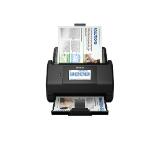
Epson WorkForce ES-580W
№ B11B258401
| Скенер, тип | Desktop document scanner,Dual CIS (contact Image Sensor), LED Array Light Source |
|---|---|
| Медия, тип | Plain Paper, Thin Paper, Thick Paper, Recycled Paper, Business Card, Plastic Card |
| Медия, размер | A4; Media sizes: Width: 50.8 - 215.9 mm, Height: 50.8 - 355.6 mm, Long paper: 5000 mm; Plastic card: Length (ISO) 85.60 mm, Width (ISO) 53.98 mm |
| Медия, g/m2 | 40 - 200 g/m2 |
| Скенер скорост черно, стр./мин | Up to 35 ppm/70 ipm |
| Скенер скорост цветно, стр./мин | Up to 35 ppm/70 ipm |
| Скенер резолюция | Up to 600 x 600 dpi |
| Дълбочина на цвета при сканиране | 48 bit int./ 24 bit ext. |
| Нива на сивота | 256 levels (8 bit) |
| Методи на сканиране и функции за подобрение | Scan to PC, image, network (SMB), email server, workflow, FTP/SFTP; Scan directly to a USB flash memory storage; Create up to 25 preset scan to SFTP/FTP/network profiles; Detect end of page, multi-feed detection, barcode detection |
| Листоподаващо устройство | ADF |
| Двустранно сканиране | Duplex Scan |
| Капацитет за хартия | 60 sheets |
| Файлови формати | PDF (single, multi, PDF/A-1b, secured, signed), JPEG, TIFF (single, multi) |
| Интерфейс | SuperSpeed USB 3.0, USB 2.0 host (rear) |
| Мрежа | 10Base-T/100Base-TX |
| Безжична мрежа | Wi-Fi 802.11 b/g/n, Wi-Fi Direct |
| Натоварване, стр./месец | 5 250 pages/day; Maximum monthly: 105 000 sheets |
| Софтуер | NewSoft Presto! Bizcard, Image Folio, Brother iPrint&Scan for PC, Tungsten PaperPort SE 14, Tungsten Power PDF Standard, Remote Setup |
| Съвместими операционни системи | Windows, Mac, Linux; AirPrint scan support, TWAIN, macOS 10.14.x or greater |
| Размери (Ш, Д, В), mm | 300 x 216 x 191 |
| Цвят | White-Black |
| Други | 7.1 cm (2.8”) touch display, 3 navigation buttons, on/off |
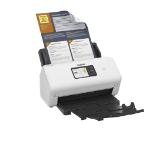
Brother ADS-4550WTC1 Desktop document...
№ ADS4550WTC1
| Скенер, тип | Desktop type double-sided capturing sheet fed scanner, CIS, RGB LED Light Source |
|---|---|
| Медия, тип | Various types of documents, Business/Plastic Cards, Passports |
| Медия, размер | A4 |
| Медия, g/m2 | 27 g/m2 - 255g/m2 (0.04 - 0.3mm) |
| Скенер скорост черно, стр./мин | Up to 50 ppm / 100 ipm |
| Скенер скорост цветно, стр./мин | Up to 50 ppm / 100 ipm |
| Скенер резолюция | Up to 600 x 600 dpi |
| Методи на сканиране и функции за подобрение | Web/Direct scan (without driver); Ultrasonic Double Feed Detection, Auto Colour Detection, Skip Blank Page; ext Orientation, Recognition, Barcode/2D Code Recognition, OCR Recognition, Batch separation, Active Threshold and etc. |
| Листоподаващо устройство | yes |
| Двустранно сканиране | Front / Back / Duplex |
| Капацитет за хартия | A4: 60 sheets; Larger than A4: 40 sheets |
| Максимален размер на сканираната област, mm | Width: 50.8 - 216 mm; Length: 54 - 356 mm; Long Document Mode: Up to 5588mm; Business Card Scanning: W: 50-55mm, L: 85-91mm; Plastic Card Scanning: W:86mm, L:54mm |
| Мащабиране | Auto Page Size Detection; Reduction ratio adjustment |
| Интерфейс | USB3.2 Gen1, USB host: USB2.0 Type A (Only for NFC reader) |
| Мрежа | 10Base-T/100Base-TX/1000Base-T |
| Безжична мрежа | 802.11 b, g, n (2.4GHz) / 802.11 a, ac (5GHz) |
| Натоварване, стр./месец | from 6 000 to 9 000 scans/day |
| OCR софтуер | CaptureOnTouch Pro software with powerful capture and processing tools including OCR and barcode recognition |
| Софтуер | ISIS, TWAIN and WIA Driver / CaptureOnTouch Pro / Canon imageFORMULA Driver Setting Tool / IEEE 802.1X Setting Tool, / DR-Management Tool (by download only)/ CoT Admin Tool (by download only) |
| Съвместими операционни системи | CaptureOnTouch Lite Web (device embedded web app) supports use with web browser from various operating systems. Mopria certified for use with Android and Chrome OS. |
| Размери (Ш, Д, В), mm | 291 x 267 x 242 mm (Tray closed) |
| Цвят | Black |
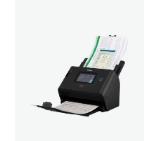
Canon imageFORMULA DR-S350NW + Readir...
№ 6897C009AA_4751V745
| Скенер, тип | Sheetfed, CMOS CIS |
|---|---|
| Медия, тип | Cut Sheet / Pre-Punched Paper; Printed Paper (Laser and ink); Bank Checks; Business Cards; Freight Bills; Carbonless forms; Plastic Carrier sheets for easily damaged documents; Previously stapled media with staple removed; Plastic cards (up to 1.24 mm) |
| Медия, размер | ISO A4, B5, A5, A6, A7, A8, JIS B5; Custom: 5.08 x 7.36 cm to 21.6 x 309.9 cm |
| Медия, g/m2 | 40 to 210 g/m2 |
| Скенер скорост черно, стр./мин | Up to 40 ppm/80 ipm |
| Скенер скорост цветно, стр./мин | Up to 40 ppm/80 ipm |
| Скенер резолюция | Optical Up to 600 dpi; Hardware: 600 x 600 dpi |
| Дълбочина на цвета при сканиране | 48-bit (internal) |
| Нива на сивота | 256/24-bit (external) |
| Методи на сканиране и функции за подобрение | Auto-colour detect, auto-crop, auto-exposure, auto orient, edge removal, background cleanup, remove hole, colour drop out, straighten the page, scan to cloud, scan to email, PDF security, Citrix Ready |
| Листоподаващо устройство | Single-pass duplex ADF |
| Двустранно сканиране | yes |
| Капацитет за хартия | Standard, 50 sheets |
| Максимален размер на сканираната област, mm | Maximum (ADF): 216 x 3100 mm, Minimum 50.8 x 50.8 mm (ADF) |
| Мащабиране | Will not perform any arbitrary scaling |
| Файлови формати | For text & images: PDF, PDF/A, Encrypted PDF, JPEG, PNG, BMP, TIFF, Word, Excel, PowerPoint, Text (.txt), Rich Text (.rtf) and Searchable PDF |
| Интерфейс | USB 3.0 |
| Натоварване, стр./месец | Recommended daily duty cycle: 4000 pages |
| OCR софтуер | yes (OCR, zonal OCR, zonal barcode) |
| Софтуер | Windows: HP WIA scan driver, HP TWAIN scan driver (32-bit and 64-bit), HP Scan, HP Scanner Tools Utility, I.R.I.S Readiris Pro, I.R.I.S Cardiris, OpenText ISIS |
| Съвместими операционни системи | Microsoft Windows (10, 8.1, 7, XP: 32/64 bit, 2008 R2, 2012 R2, 2016, 2019); MacOS (Catalina 10.15, Mojave 10.14, High Sierra 10.13); Linux (Ubuntu, Fedora, Debian, RHEL, Linux Mint, Open Suse, Manjaro); Citrix ready |
| Размери (Ш, Д, В), mm | Minimum: 300 x 172 x 154 mm; Maximum: 300 x 410 x 310 mm |
| Цвят | White-Black |
| Други | 256 MB |
HP ScanJet Pro 3000 s4 Scanner
№ 6FW07A
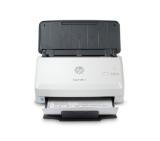
| Скенер, тип | ADF; Sheetfed; Contact Image Sensor (CIS) |
|---|---|
| Медия, тип | Paper (banner, brochure, inkjet, plain), photo paper (borderless, HP premium, panoramic, plus tab), envelopes, labels, cards (greeting, index), ID cards, passport |
| Медия, размер | A4 |
| Медия, g/m2 | 28 to 120 g/m2 (ADF); 28 to 430 g/m2 (Front slot) |
| Скенер скорост черно, стр./мин | Up to 40 ppm/80 ipm (b&w, color, 300 dpi); Up to 20 ppm/40 ipm (low-speed mode) |
| Скенер скорост цветно, стр./мин | Up to 40 ppm/80 ipm (b&w, color, 300 dpi); Up to 20 ppm/40 ipm (low-speed mode) |
| Скенер резолюция | Up to 600 x 600 dpi |
| Дълбочина на цвета при сканиране | 24-bit (external), 48-bit (internal) |
| Нива на сивота | 256 |
| Методи на сканиране и функции за подобрение | Scan to USB 3.0; OCR; Intelligent scanning recognizing the difference of text, lines and images for multi-layer document storage; automatic scan calibration; automatic document; blank page removal; barcode detection; batch separation; document merge |
| Листоподаващо устройство | 50 Sheets DADF |
| Двустранно сканиране | Single-pass duplex |
| Капацитет за хартия | 50 sheets |
| Максимален размер на сканираната област, mm | Max. 216 x 5842 mm (ADF), 216 x 5842 mm (Front slot); Minimum: 52 x 74 mm (ADF), 51x 51 mm (Front Slot) |
| Файлови формати | BMP; CSV; Excel (XLS); Excel ( XLSX); JPEG; PDF; PDF/A; PNG; RTF; Searchable PDF; TIFF; TXT; Word (DOC); Word (DOCX) |
| Интерфейс | 1 SuperSpeed USB 3.0 |
| Натоварване, стр./месец | Recommended daily duty cycle: 4000 pages |
| OCR софтуер | yes |
| Софтуер | HP Scan Software, HP Scanner Tools Utility, HP Scan Assistant, HP WIA scan driver, HPTWAIN scan driver, ISIS driverICA driver, HP Easy Scan for Mac OS, HPUI Scan for Linux |
| Съвместими операционни системи | Windows 11; Windows 10; Windows 8.1; Windows Server; macOS 10.15 Catalina; macOS 11 Big Sur; macOS 12 Monterey; macOS 13 Ventura; macOS 14 Sonoma; macOS 15 Sequoia; Linux |
| Размери (Ш, Д, В), mm | 305 x 107 x 128 mm; 305 x 287 x 272 mm (with all trays opened and extended) |
| Цвят | White-Blue |
| Други | 512 MB memory |
HP ScanJet Pro 4200 s1 Scanner
№ 8Q4W2A
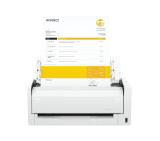
| Скенер, тип | Desktop Type Sheet Fed Scanner |
|---|---|
| Медия, тип | Various media types; from thick to thin sheets, and from embossed cards to three metre-long documents |
| Медия, размер | A4 |
| Медия, g/m2 | 27 - 209 g/m2 (0.04 - 0.25mm) |
| Скенер скорост черно, стр./мин | 60ppm / 120ipm |
| Скенер скорост цветно, стр./мин | 60ppm / 120ipm |
| Скенер резолюция | 600 x 600 dpi (optical) |
| Дълбочина на цвета при сканиране | 24-bit Colour |
| Нива на сивота | 8-bit Greyscale (256-Level) |
| Методи на сканиране и функции за подобрение | Automatic Page Size Detection, Deskew, 3- Dimentional Colour Correction, Colour Dropout (RGB), Colour Enhancement (RGB), Auto Colour Detection, Shading Correction, Double Feed Detection, Preset Gamma Curve, Skip Blank Page, Folio Mode and etc. |
| Листоподаващо устройство | yes, Paper Separation: Retard Roller Method (Reversing Separator Roller) |
| Двустранно сканиране | yes |
| Капацитет за хартия | 60 sheets (80g/m2) |
| Максимален размер на сканираната област, mm | Width: 50.8 - 216mm; Length: 54 - 356mm; Long Document Mode: 3000 mm Max (selectable in MS Windows control panel); Card scanning: Width: 53.9mm, Length: 85.5mm, Thickness: 0.76mm (Embossed Card is supported) |
| Файлови формати | PDF, PDF-A, TIFF, JPEG, BMP and PowerPoint |
| Интерфейс | High speed USB 2.0 |
| Натоварване, стр./месец | 7000 scans/day |
| OCR софтуер | yes |
| Софтуер | For Windows OS: ISIS / TWAIN Driver, CapturePerfect, CaptureOnTouch, eCopy PDF Pro Office, Kofax VRS (with AIPE), EMC Captiva Cloud Runtime Controls; For Mac OS: TWAIN Driver, CaptureOnTouch |
| Съвместими операционни системи | Windows XP Pro / XP Home / Vista / 7 / 8; MAC OS |
| Размери (Ш, Д, В), mm | Tray Closed : 280 x 172) x 178; Tray Opened: 280 x 606 x 366.4 |
| Цвят | White-Black |
Canon Document Reader M160II + Readir...
№ 9725B003AA_4751V745
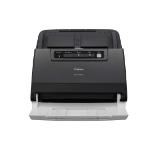
| Скенер, тип | Sheet fed desktop document scanner, Dual contact image sensor (CIS), LED array light source |
|---|---|
| Медия, тип | Plain Paper, Thin Paper, Thick Paper, Recycled Paper, Business Card, Plastic Card |
| Медия, размер | A4; Media sizes: Width: 50.8 - 215.9 mm, Height: 50.8 - 355.6 mm, Long paper: 5000 mm; Plastic card: Length (ISO) 85.60 mm, Width (ISO) 53.98 mm |
| Медия, g/m2 | 40 - 200 g/m2; Paper thickness: 0.08 - 0.28 mm |
| Скенер скорост черно, стр./мин | 40 ppm (A4)/80 ipm, 2-sided scan |
| Скенер скорост цветно, стр./мин | 40 ppm (A4)/80 ipm, 2-sided scan |
| Скенер резолюция | Up to 600 x 600 dpi (from ADF); Up to 1200 x 1200 dpi (interpolated) |
| Дълбочина на цвета при сканиране | 48 bit int./ 24 bit ext. |
| Нива на сивота | 256 levels (8 bit) |
| Методи на сканиране и функции за подобрение | Scan to PC, image, network (SMB), e-mail server, workflow, FTP/SFTP, SharePoint(On Premise), Brother Webconnect, scan to HTTP(S), Brother Apps; Scan directly to a USB flash memory storage; Create up to 25 preset scan to SFTP/FTP/network/SharePoint/ HTTP |
| Листоподаващо устройство | ADF; Ultra sonic multi-feed sensor, separation switch, scan preview, cis cleaning alarm auto start scan, continuous scan, resume scan, document separation |
| Двустранно сканиране | yes |
| Капацитет за хартия | 80 sheets |
| Файлови формати | PDF (single, multi, PDF/A-1b, secured, signed), JPEG, TIFF (single, multi) |
| Интерфейс | SuperSpeed USB 3.0, USB 2.0 host (rear) |
| Мрежа | 10Base-T/100Base-TX |
| Безжична мрежа | Wireless IEEE 802.11b/g/n, Wi-Fi Direct |
| Натоварване, стр./месец | 6 000 pages/day; Maximum monthly: 120 000 sheets |
| Софтуер | Brother ScanEssentials, Brother iPrint&Scan for Desktop, Kofax PaperPort, Kofax Power PDF Standard v3, Remote Setup; Brother iPrint&Scan for desktop, remote setup |
| Съвместими операционни системи | Windows, Mac, Linux; AirPrint scan support, TWAIN, macOS 10.14.x or greater |
| Размери (Ш, Д, В), mm | 300 x 216 x 191 |
| Цвят | White-Black |
| Други | Control panel: 10.9cm colour touchscreen, 4 keys; Kensington lock; Address book: 200 locations for e-mail addresses, A combination of up to 20 groups can be stored for broadcasting |
Brother ADS-4700W Desktop document sc...
№ ADS4700WTF1
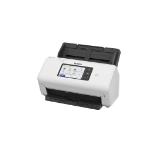
| Скенер, тип | Desktop type double-sided sheet fed scanner; CIS Scanning Sensor Unit; RGB LED Light Source |
|---|---|
| Медия, тип | different types of papers, Plastic cards; Business Cards; Passport |
| Медия, размер | A4 |
| Медия, g/m2 | 27 - 413 g/m2 (thickness 0.04 - 0.49mm) |
| Скенер скорост черно, стр./мин | 50ppm / 100ipm (200dpi/300dpi) |
| Скенер скорост цветно, стр./мин | 50ppm / 100ipm (200dpi), 40ppm / 80ipm (300dpi) |
| Скенер резолюция | Optical: 600 dpi; Output: 100/ 150/ 200/ 240/ 300/ 400/ 600/ 1200 dpi |
| Методи на сканиране и функции за подобрение | Scanning Side: Front/ Back/ Duplex; Ultrasonic Double Feed Detection, Auto Colour Detection, Skip Blank Page, Auto Page Size Detection, Auto Resolution Setting, Text Orientation, Recognition, Barcode/2D Code/OCR Recognition and etc. |
| Листоподаващо устройство | yes ( Retard Roller Method) |
| Двустранно сканиране | yes |
| Капацитет за хартия | 100 sheets (A4) |
| Максимален размер на сканираната област, mm | Width 50 - 216mm; Length 54 - 356mm; Long document mode: Up to 6096 mm |
| Интерфейс | USB 3.2 / USB 3.1 / USB 3.0 / USB 2.0 (Connector type: Type -CTM) |
| Натоварване, стр./месец | from 5 000 to 8 000 scans/day |
| OCR софтуер | yes |
| Софтуер | ISIS, TWAIN and WIA Driver / CaptureOnTouch Pro / Canon imageFORMULA Driver Setting Tool / DR-Management Tool (by download only) |
| Съвместими операционни системи | Windows |
| Размери (Ш, Д, В), mm | Tray closed: 283 x 223 x 218 mm |
| Цвят | Black |
Canon imageFORMULA DR-C350
№ 7290C003AA
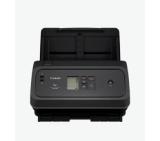
| Скенер, тип | Desktop type double-sided capturing sheet fed scanner, CIS |
|---|---|
| Медия, тип | Various types of documents |
| Медия, размер | A4 |
| Скенер скорост черно, стр./мин | Up to 50 ppm / 100 ipm (200dpi / 300dpi) |
| Скенер скорост цветно, стр./мин | Up to 50 ppm / 100 ipm (200dpi), 40 ppm / 80 ipm (300 dpi) |
| Скенер резолюция | Optical: 600 dpi; Output Resolution: 100 / 150 / 200 / 240 / 300 / 400 / 600 / 1200 dpi |
| Методи на сканиране и функции за подобрение | Ultrasonic Double Feed Detection, Double Feed Release, Prescan, 3-Dimensional Colour Correction, Prevent Bleed-Through/Remove Background, Background smoothing, Active Threshold, Batch separation by blank page, Text Enhancement and etc. |
| Листоподаващо устройство | A4 |
| Двустранно сканиране | Front / Back / Duplex |
| Капацитет за хартия | 60 sheets |
| Максимален размер на сканираната област, mm | Width: 50.8 - 216 mm, Length: 54 - 356 mm; Long Document Mode: Up to 5 588mm; Business Card: Width: 88.9-108mm, Length: 127-152.4mm; Plastic Card: Width: 86mm, Length: 54mm |
| Мащабиране | Auto Page Size Detection; Reduction ratio adjustment |
| Файлови формати | PNG, JPEG, TIFF, BMP, PPTX, Word, Excel and PDF |
| Интерфейс | USB 3.2 Gen 1, USB host: USB 2.0 (available only for external NFC Reader) |
| Мрежа | 10Base-T / 100Base-TX / 1000Base-T |
| Натоварване, стр./месец | From 6000 to 9,00 scans/day |
| OCR софтуер | CaptureOnTouch Pro software with powerful capture and processing tools including OCR and barcode recognition |
| Софтуер | Windows: ISIS/ TWAIN Driver, CaptureOnTouch Pro; Mac: DR Management Tool, CoT Admin Server (by download only), Mac TWAIN Driver, CaptureOnTouch |
| Съвместими операционни системи | Windows, Mac, Supports Chrome OS, and Mopria scan |
| Размери (Ш, Д, В), mm | 291 x 267 x 242 mm |
| Цвят | Black |
Canon imageFORMULA DR-S250N
№ 6383C003AA_RR
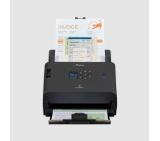
| Скенер, тип | Desktop Type Sheet Fed Scanner |
|---|---|
| Медия, тип | Various media types; from thick to thin sheets, and from embossed cards to three metre-long documents |
| Медия, размер | A4 |
| Медия, g/m2 | 27 - 413 g/m2 (Thickness : 0.04 - 0.49mm) |
| Скенер скорост черно, стр./мин | 60ppm / 120ipm |
| Скенер скорост цветно, стр./мин | 60ppm / 120ipm |
| Скенер резолюция | 600 x 600 dpi (optical) |
| Дълбочина на цвета при сканиране | 24-bit Colour |
| Нива на сивота | 8-bit Greyscale (256-Level) |
| Методи на сканиране и функции за подобрение | CMOS CIS 1 Line Sensor; RGB LED |
| Листоподаващо устройство | yes, Paper Separation: Retard Roller Method (Reversing Separator Roller) |
| Двустранно сканиране | Front / Back / Duplex |
| Капацитет за хартия | 80-sheets (80g/m2) |
| Максимален размер на сканираната област, mm | Width: 50 - 216 mm; Length: 54 - 356 mm; Long Document Mode: 5588mm Max; Card scanning: 50 x 91 mm; Postcard: 89 x 152 mm; Plastic card: 54 x 86 mm; Passport: Up to 6mm thick (via carrier sheet) |
| Интерфейс | USB3.1 Gen1 |
| Натоварване, стр./месец | Approx. 7500 scans/daily |
| OCR софтуер | yes |
| Софтуер | ISIS /TWAIN Drivers; CapturePerfect, CaptureOnTouch, Kofax VRS |
| Съвместими операционни системи | Microsoft Windows 7 SP1, 32 bit/64 bit, Microsoft Windows 8.1 32 bit/64 bit, Microsoft Windows 10-32 bit/64 bit, Microsoft Windows Server 2008 R2 SP1, Microsoft Windows Server 2012 R2, Microsoft Windows Server 2016 |
| Размери (Ш, Д, В), mm | 285 x 180 x 178 |
| Цвят | Black |
| Други | Enhanced image quality using new on-board DR processor; Five line LCD Operation panel |
Canon Document Reader M260 + Readiris...
№ 2405C003AA_4751V745
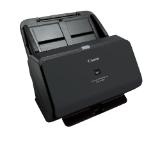
| Скенер, тип | Sheetfed, CMOS CIS |
|---|---|
| Медия, тип | Cut Sheet / Pre-Punched Paper; Printed Paper (Laser and ink); Bank Checks; Business Cards; Freight Bills; Carbonless forms; Plastic Carrier sheets for easily damaged documents; Previously stapled media with staple removed; Plastic cards (up to 1.24 mm) |
| Медия, размер | ISO A4, B5, A5, A6, A7, A8, JIS B5; Custom: 5.08 x 7.36 cm to 21.6 x 309.9 cm |
| Медия, g/m2 | 40 to 210 g/m2 |
| Скенер скорост черно, стр./мин | Up to 40 ppm/80 ipm |
| Скенер скорост цветно, стр./мин | Up to 40 ppm/80 ipm |
| Скенер резолюция | Optical Up to 600 dpi; Hardware: 600 x 600 dpi |
| Дълбочина на цвета при сканиране | 48-bit (internal) |
| Нива на сивота | 256/24-bit (external) |
| Методи на сканиране и функции за подобрение | Auto-colour detect, auto-crop, auto-exposure, auto orient, edge removal, background cleanup, remove hole, colour drop out, straighten the page, scan to cloud, scan to email, PDF security, Citrix Ready |
| Листоподаващо устройство | Single-pass duplex ADF |
| Двустранно сканиране | yes |
| Капацитет за хартия | Standard, 50 sheets |
| Максимален размер на сканираната област, mm | Maximum (ADF): 216 x 3100 mm, Minimum 50.8 x 50.8 mm (ADF) |
| Мащабиране | Will not perform any arbitrary scaling |
| Файлови формати | For text & images: PDF, PDF/A, Encrypted PDF, JPEG, PNG, BMP, TIFF, Word, Excel, PowerPoint, Text (.txt), Rich Text (.rtf) and Searchable PDF |
| Интерфейс | USB 3.0 |
| Мрежа | Ethernet 10/100 Base-T |
| Безжична мрежа | Wi-Fi 802.11 b/g/n, Wi-Fi Direct |
| Натоварване, стр./месец | Recommended daily duty cycle: 4000 pages |
| OCR софтуер | yes (OCR, zonal OCR, zonal barcode) |
| Софтуер | Windows: HP WIA scan driver, HP TWAIN scan driver (32-bit and 64-bit), HP Scan, HP Scanner Tools Utility, I.R.I.S Readiris Pro, I.R.I.S Cardiris, OpenText ISIS |
| Съвместими операционни системи | Microsoft Windows (10, 8.1, 7, XP: 32/64 bit, 2008 R2, 2012 R2, 2016, 2019); MacOS (Catalina 10.15, Mojave 10.14, High Sierra 10.13); Linux (Ubuntu, Fedora, Debian, RHEL, Linux Mint, Open Suse, Manjaro); Citrix ready |
| Размери (Ш, Д, В), mm | Minimum: 300 x 172 x 154 mm; Maximum: 300 x 410 x 310 mm |
| Цвят | White-Black |
| Други | 512 MB; 7.1 cm (2.8 inch) colour touchscreen on front-panel |
HP ScanJet Pro N4000 snw1 Scanner
№ 6FW08A
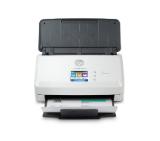
| Скенер, тип | ADF scanner |
|---|---|
| Медия, тип | Paper, plastic ID cards, photos |
| Медия, размер | A4 |
| Медия, g/m2 | 28 - 413 g/m2, ADF: 75 - 90 g/m2 |
| Скенер скорост черно, стр./мин | 40 ppm / 80 ipm (A4, 300 dpi); 60 ppm / 120 ipm (A4, 200 dpi) |
| Скенер скорост цветно, стр./мин | 40 ppm / 80 ipm (A4, 300 dpi); 60 ppm / 120 ipm (A4, 200 dpi) |
| Скенер резолюция | 600 x 600 dpi; Interpolated Resolution with Visioneer Acuity: Up to 1200 dpi |
| Дълбочина на цвета при сканиране | 24 bit |
| Нива на сивота | 8-bit greyscale, 1-bit black & white |
| Методи на сканиране и функции за подобрение | Image Enhancement Technology: Visioneer Acuity ; CCD (Charge Coupled Device); Light Source: LED (light emitting diode) instant on |
| Листоподаващо устройство | 80 sheet ADF |
| Двустранно сканиране | DADF |
| Капацитет за хартия | 80 pages |
| Максимален размер на сканираната област, mm | Flatbed - 216 x 2997 mm; ADF: Max. - 241 x 2997 mm, Min. - 51 x 51 mm |
| Файлови формати | Searchable PDF and all popular file formats |
| Интерфейс | Hi-speed USB 2.0 (3.0 compatible) |
| Натоварване, стр./месец | 6000 pages/day |
| OCR софтуер | yes |
| Софтуер | Visioneer Acuity image enhancement software and Nuance Software bundle |
| Съвместими операционни системи | Windows, Mac |
| Размери (Ш, Д, В), mm | 316 x 239 x 680 (paper trays extended), 316 x 168 x 191 (paper trays collapsed) |
| Цвят | White-Blue |
Xerox Documate 6440 Scanner
№ 100N03218